One measuring form for every site, the math done as you type.
For contractors and their crews: one measuring form for every site. Each crew measures with the same template on a phone, the totals and quantities calculate as they type, the sheet saves as they go, and the office finds the sheet and its PDF or Excel report.
No credit card. Cancel anytime.
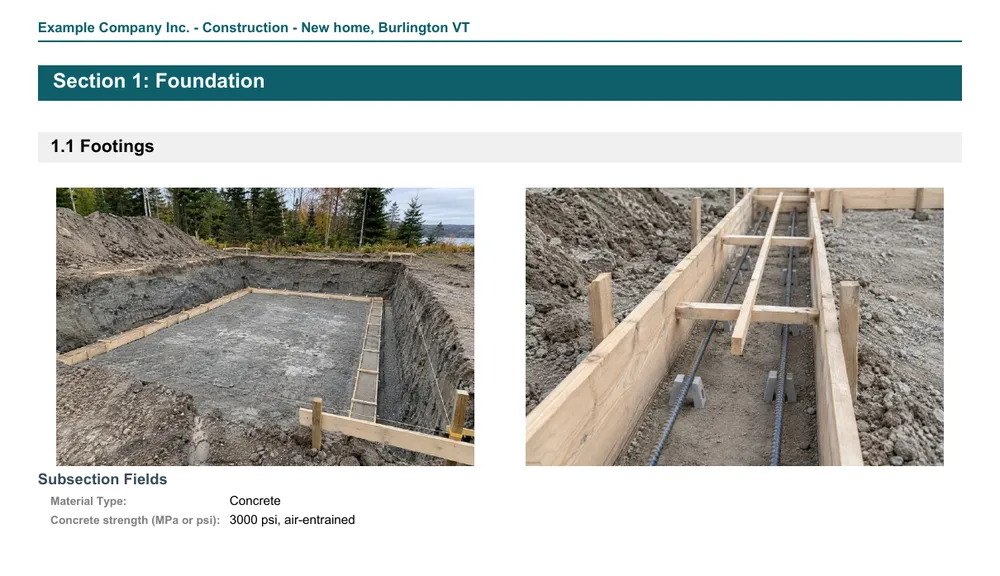
What your crews record on site
A field measurement sheet holds what the job needs, in the order the crew walks it:
Dimensions
Lengths, widths, heights and slopes, in feet and inches or in meters, one row per room, wall, roof plane or area.
Quantities
Areas, volumes, pieces, rolls, boxes or bags: calculated columns work them out from the measurements and your rates.
Products and choices
The product, the material or the type of work, picked from a list; in the templates that use it, the totals split by product.
Photos
Up to 20 photos per section or subsection, with captions, filed with the area they show.
Notes and conditions
What the crew saw on site, next to the measurement it concerns.
The job
The client, the address, the visit date and the job details, in the form at the top of the sheet.
Paper notes or a field measurement app
Paper notes and patched-together spreadsheets have to be added up, sorted and typed again at the office. A MesuPro sheet does that part on site, with the same form for every crew.
- One template per type of job: every crew measures the same things, in the same order
- Calculated columns and totals as you type: per area, per section and for the whole job
- Saved as you go, on a phone, a tablet or a computer, in the browser: nothing to install
- Feet and inches or metric: one switch on the sheet converts every measurement
- A PDF with your logo and the photos for your client, an Excel or CSV file for your estimator
- In English or in French: the app, the templates and the reports
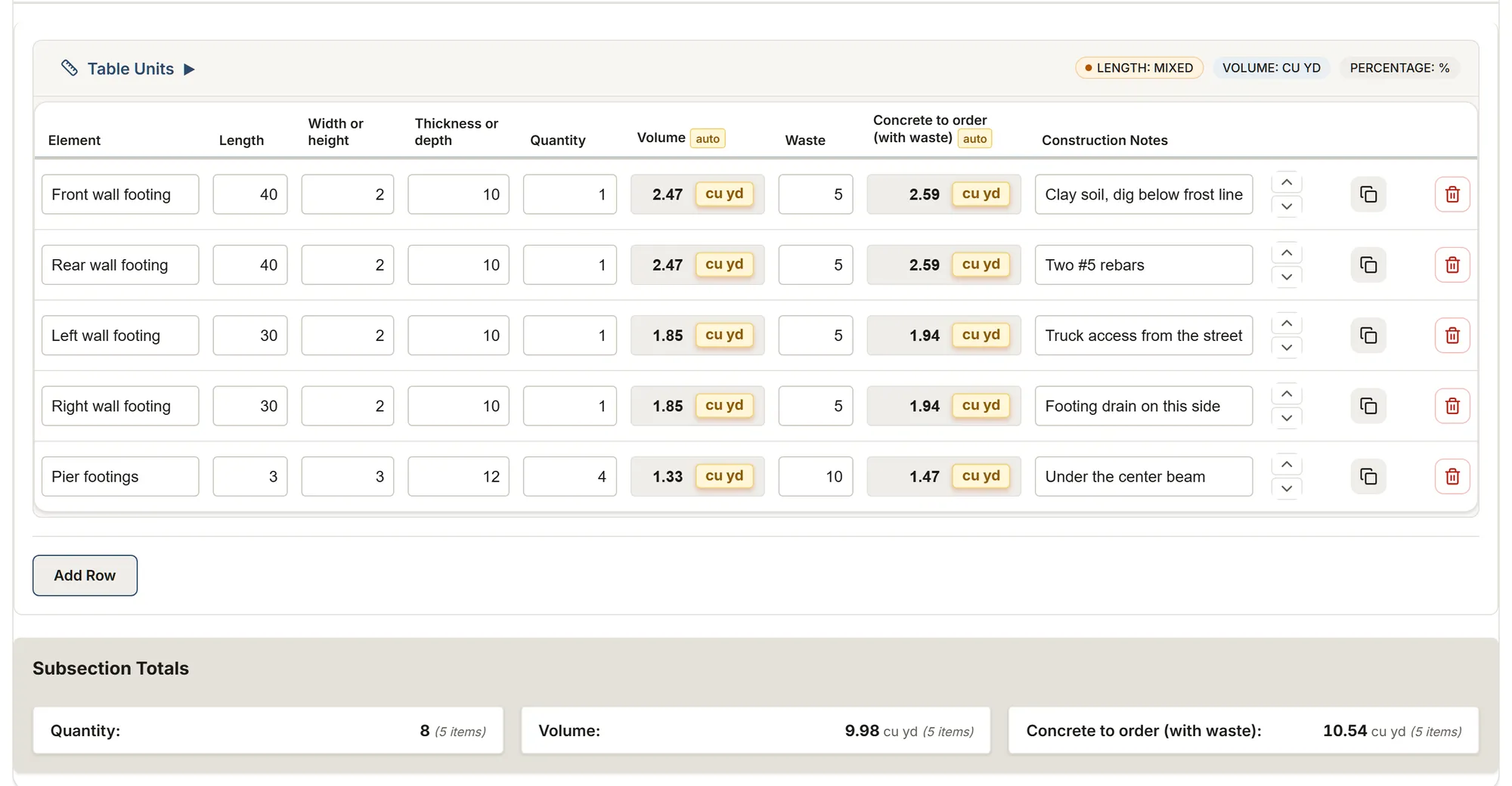
The office sees what the crew measured
Invite your crew and give each person a role. A sheet measured on site is in the project at the office as soon as it saves: open it, check the totals, export the report.
Who uses a field measurement app
Contractors with crews
Every crew measures with the same form, so every sheet reads the same way at the office.
Estimators
The quantities come in calculated and totaled, ready for the estimate without typing them again.
Crew leads
Measure on the phone, add the photos and notes where they belong, and leave the site with the sheet done.
A measuring form for your trade
Each trade page shows its templates, what they record and what they calculate.
Start from a field measurement template
Each template is a complete form you can change: rename a column, add a table, or build your own form in the template editor or with the AI assistant. Try one first, no account needed.
Construction: site measurements
Foundation, floors, walls and roof: concrete to order, net areas, roof squares and shingle bundles, lengths.
You get: Volume Concrete to order Granular base under the slab
Roofing: inspection & measurement
Face by face: area, pitch, material, condition, waste and squares, with photos, and the attic ventilation.
You get: Area Area with waste Squares
Residential painting
Room by room: walls (a whole room on one line), ceilings, trim, doors and cabinets, with gallons and labor hours.
You get: Net Paintable Area Area to cover, primer and paint coats Paint
Flooring: room measurement
Room by room: area, floor type, waste and area to order, and the stairs flight by flight.
You get: Area Area to order Boxes
Metal roofing survey
Metal roofs plane by plane: panels from the coverage width, length to order, screws, strapping, snow guards, trims and flashings.
You get: Area Panels Panel length to order
Fence survey
Runs by style, posts, sections, rails and pickets, gates, concrete bags, the old fence and a chain link take-off.
You get: Posts Sections Rails
FAQ
What is a field measurement app?
An app your crews fill in on site instead of paper: the dimensions of the job, the quantities worked out from them, photos and notes. MesuPro runs in the browser on a phone, a tablet or a computer, and gives a PDF or Excel report.
Can every crew use the same form?
Yes. Pick a template for the type of job, or build your own, and every crew measures with it. Invite them in the app and give each person a role.
Feet and inches or metric?
Both. You choose imperial or metric for your organization, and a switch on each sheet converts every measurement. The calculations follow.
What does the office get?
The sheet itself, saved as the crew types, and its report: a PDF with your logo and the photos for your client, or an Excel or CSV file with every measurement and total for your estimator.
Can I see an example?
Each template in the catalog has its own page, with its tables, its columns and a sheet filled in the app. Try any of them with your own measurements, with no account.
Can I record an as-built survey?
Yes: measure what is in place, room by room or area by area, with photos and notes, and export the PDF. Start from a template close to the job, or build your own form.
Does MesuPro write my quote?
No. MesuPro gives every measurement, total and quantity for your bid; you prepare the quote in your usual tool, from the Excel export or the PDF.