A report your client can read, a file your estimator can use.
From the sheet, one click gives you a clean PDF with your photos and totals. For your estimate, export the same sheet to Excel or CSV.
No credit card. Cancel anytime.
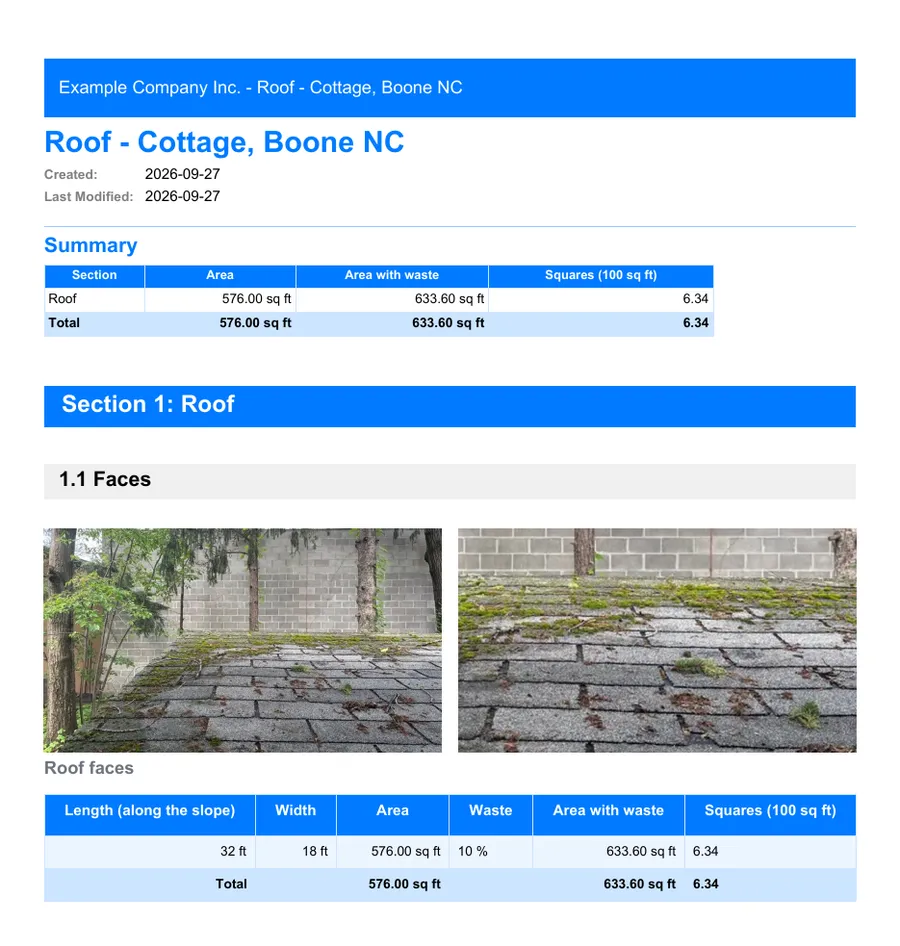
The PDF for your client
The first page gives the title, details and a summary of the totals. Then come the sections and their tables, with the photos embedded and labeled.
- Your logo and colors, set once for the organization
- Page numbers, Letter or A4, portrait or landscape
- Dates in your region's format
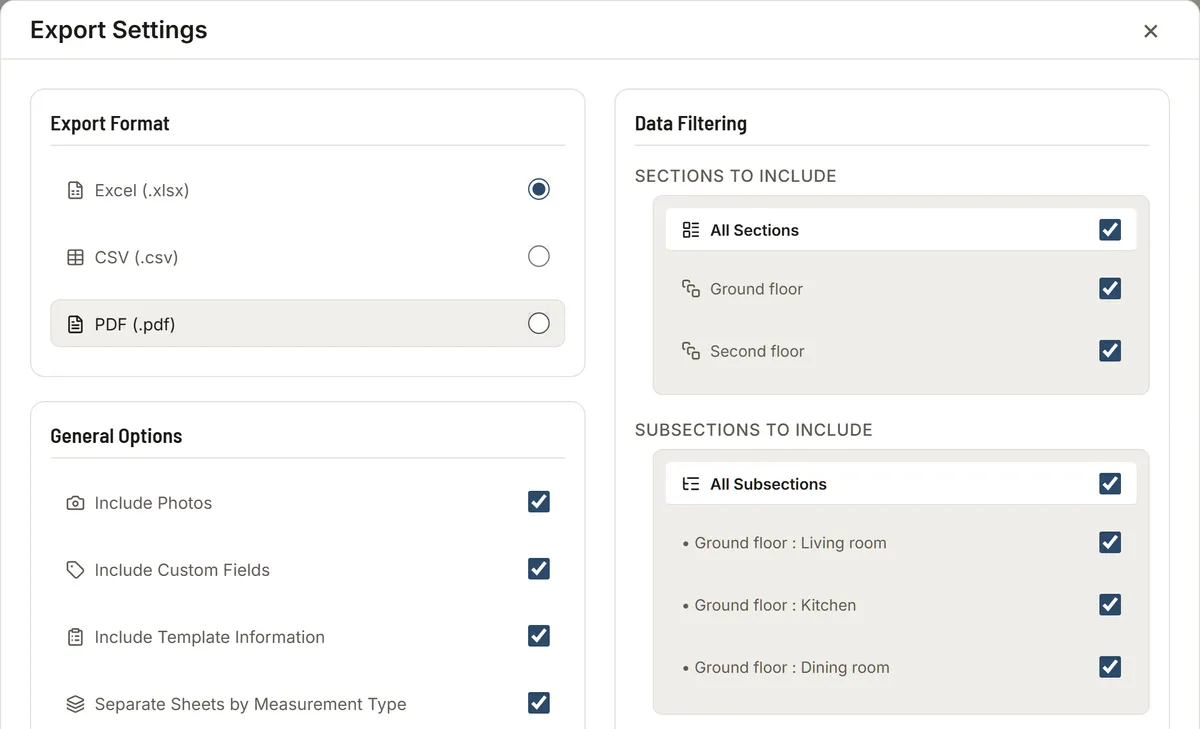
Choose what goes out
The export window lets you pick the format (Excel, CSV or PDF), the photos, custom fields, sections and columns, and can skip empty items.
Excel for the next step
The Excel file holds an overview, the measurements, the totals and the photos, ready for your spreadsheet or estimating software. CSV is there for other tools.
FAQ
Can I add my logo?
Yes. An admin sets the logo, its position and the colors in the organization settings, and every PDF uses them.
Who can export?
The owner, admins and members. Viewers and clients can look but not export.
Are photos included?
Yes. They are embedded in the PDF, under the name of their section, and in the Excel file, on a Photos sheet.