Paper, a spreadsheet or MesuPro: what each one does well
You can measure a job with a notepad, a spreadsheet or a form app, and many contractors do. Here is what each one does well, where MesuPro helps, and when you don't need it.
No credit card. Cancel anytime.
Paper and a notepad
What it does well
- Nothing to install, charge or learn.
- A sketch with the measurements on it, in seconds.
- Works in any weather and in any basement.
Where MesuPro helps
- The math is done on site: areas, squares, gallons and totals calculate as you type.
- Nothing to retype at the office: the same sheet becomes a PDF for the client and an Excel file for the estimate.
- The same fields on every job, so nothing is forgotten from one crew to the next.
- Photos sit in the sheet, next to the measurements they explain.
A spreadsheet
What it does well
- You probably have one already, and you know it.
- It can do anything, from an estimate to a schedule.
- At the office, on a big screen, it is hard to beat.
Where MesuPro helps
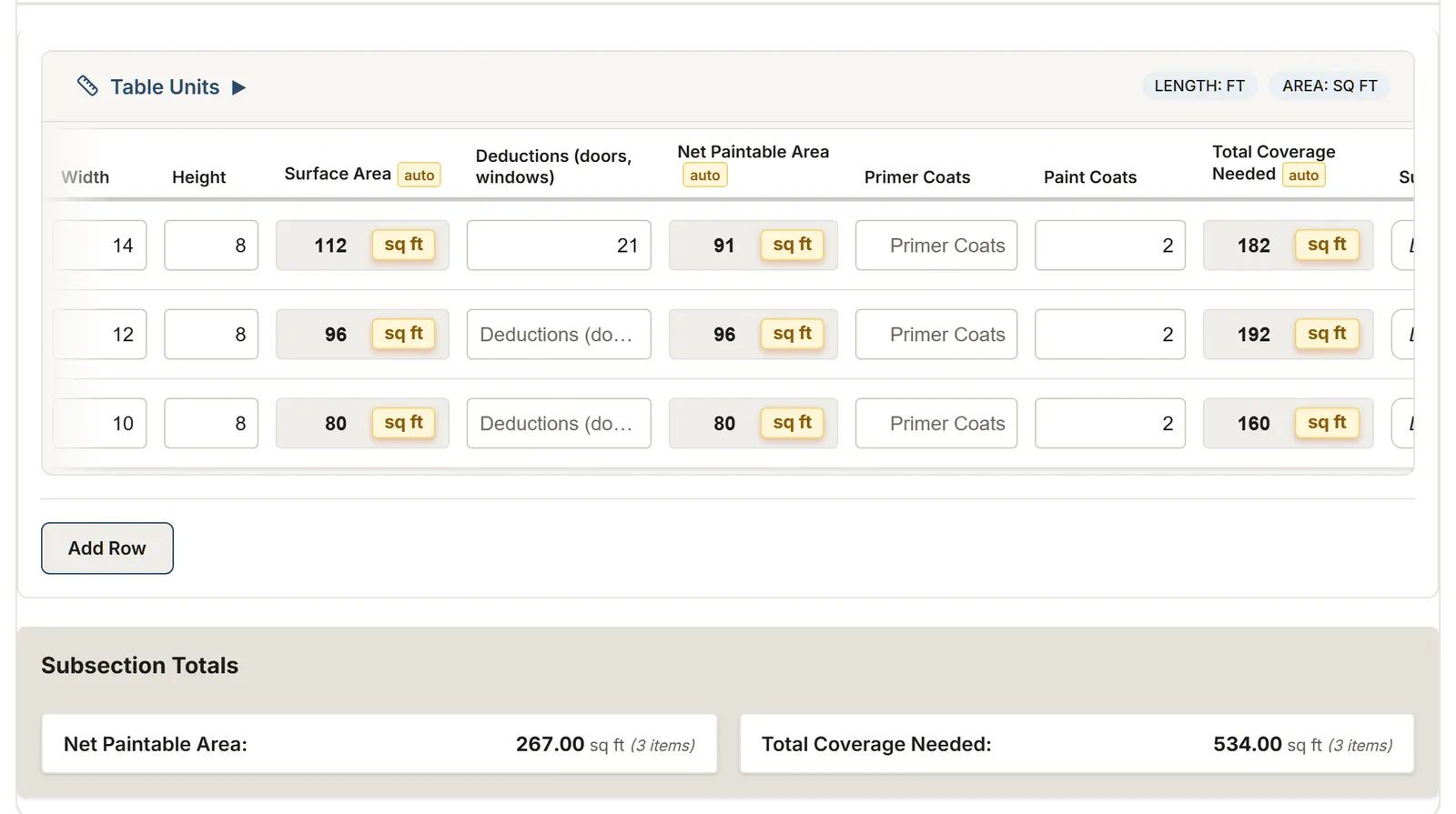
- Made to be filled on a phone on site, in the browser, nothing to install.
- The formulas live in the template: calculated columns are read only, so a typo on site cannot break them.
- Each table has its own units, feet and inches or meters, and the calculations follow.
- Totals by subsection, section and job, a PDF report with your logo and photos, and Excel when you want your spreadsheet back.
A generic form app
What it does well
- Many field types and checklists, for any kind of inspection.
- Often connected to many other tools.
- A good fit when you mostly collect answers, not measurements.
Where MesuPro helps
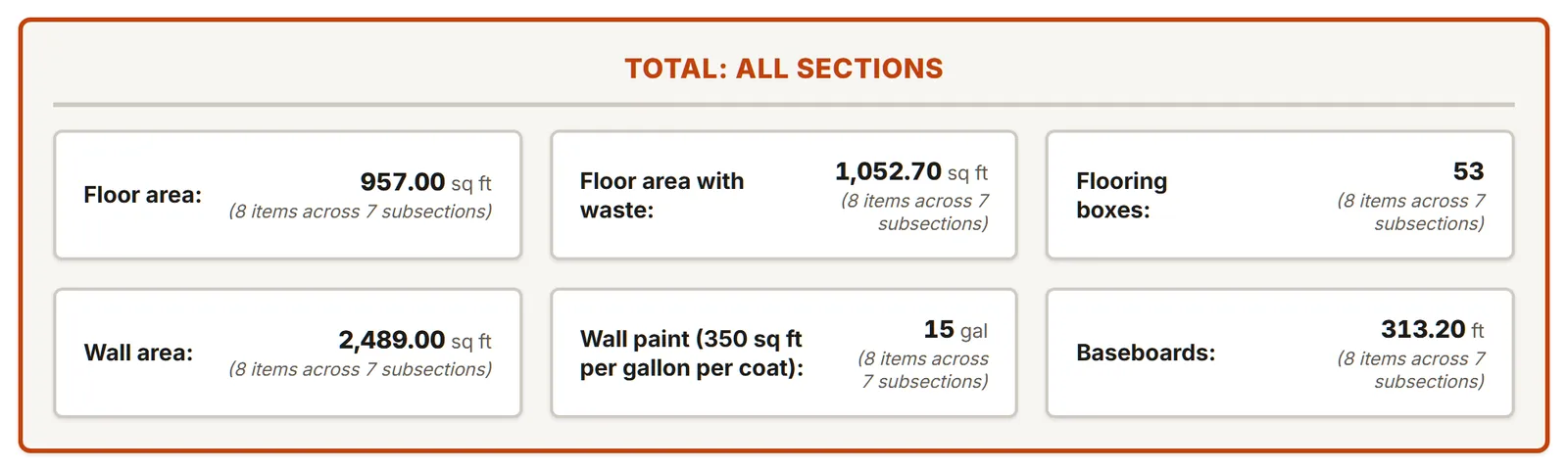
- Measurements come first: tables with rows, units and calculated columns, in sections and subsections like a job site.
- Ready templates for roofing, painting, flooring, construction, landscaping, caulking, HVAC and windows.
- Your trade is not there? Describe your job in plain words: the AI assistant builds the template with its formulas and units.
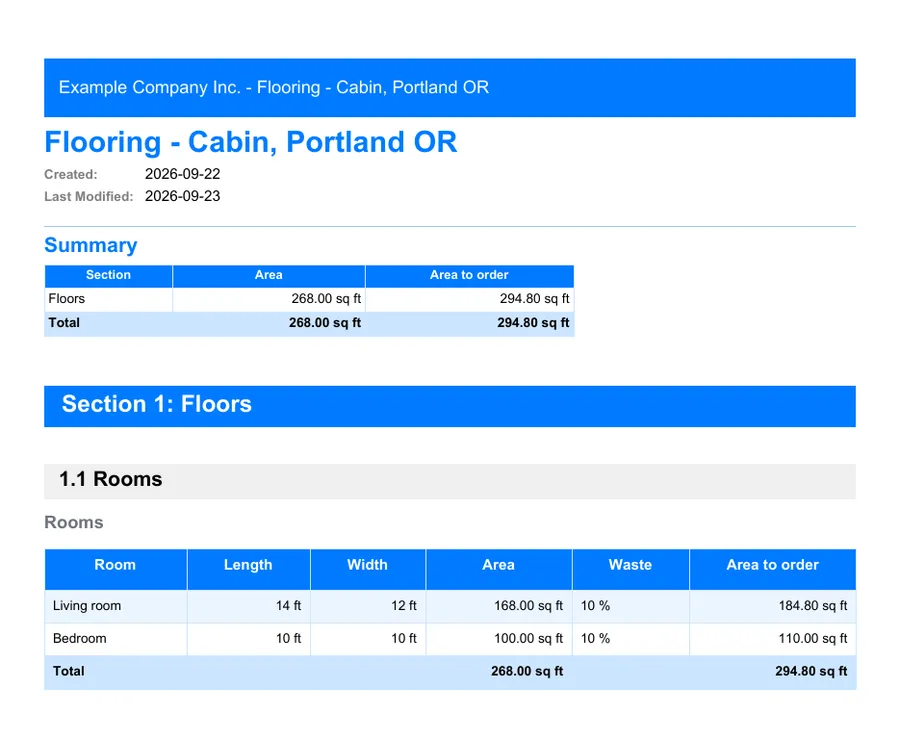
- A report made for a client: the totals summary, the tables and the labeled photos.
Questions to ask any field app
Whatever you choose, these questions save surprises. Here is how MesuPro answers them.
- Does it calculate while you measure?
- Yes. Calculated columns work out areas, squares, gallons or boxes as you type: addition, multiplication, rounding, minimum, maximum, square roots and powers.
- Feet and inches, or meters?
- Each table has its own units, imperial, metric or mixed, and the calculations follow.
- Totals by area and for the whole job?
- Sums and averages per subsection, per section and for the whole sheet.
- What does the client get?
- A PDF with a summary of the totals, the tables and the labeled photos, with your logo and colors.
- And for the estimate?
- An Excel file with the overview, the measurements, the totals and the photos, or a CSV file.
- In English and in French?
- The app, the templates and the reports, in both languages.
- For a team?
- Five built-in roles: owner, admin, member, viewer and client. Viewers and clients are free.
- What if the signal drops?
- Your changes are kept on this device and sent as soon as the network is back. If a save fails on our side, a message tells you what is kept and how to try again. Open the sheet before the dead zone: the app needs a connection to open.
- Where is the data?
- The app and your data are hosted in Canada, and you can export your projects at any time.
When you don't need MesuPro
For a one-off job or a single simple list, a notepad or a spreadsheet does the job. For a quick number, our free calculators give squares, gallons, boxes, concrete, pavers and cartridges with the same formulas as our templates, no account needed.
MesuPro is worth it when the same kind of job comes back: the same fields, the math done on site, and a report ready to send.
The price
One plan: $25 USD per user per month, or $250 USD per user per year. Viewers and clients are free. Try it for 14 days, no credit card.