Every elevation measured, every joint and every bag of mortar counted.
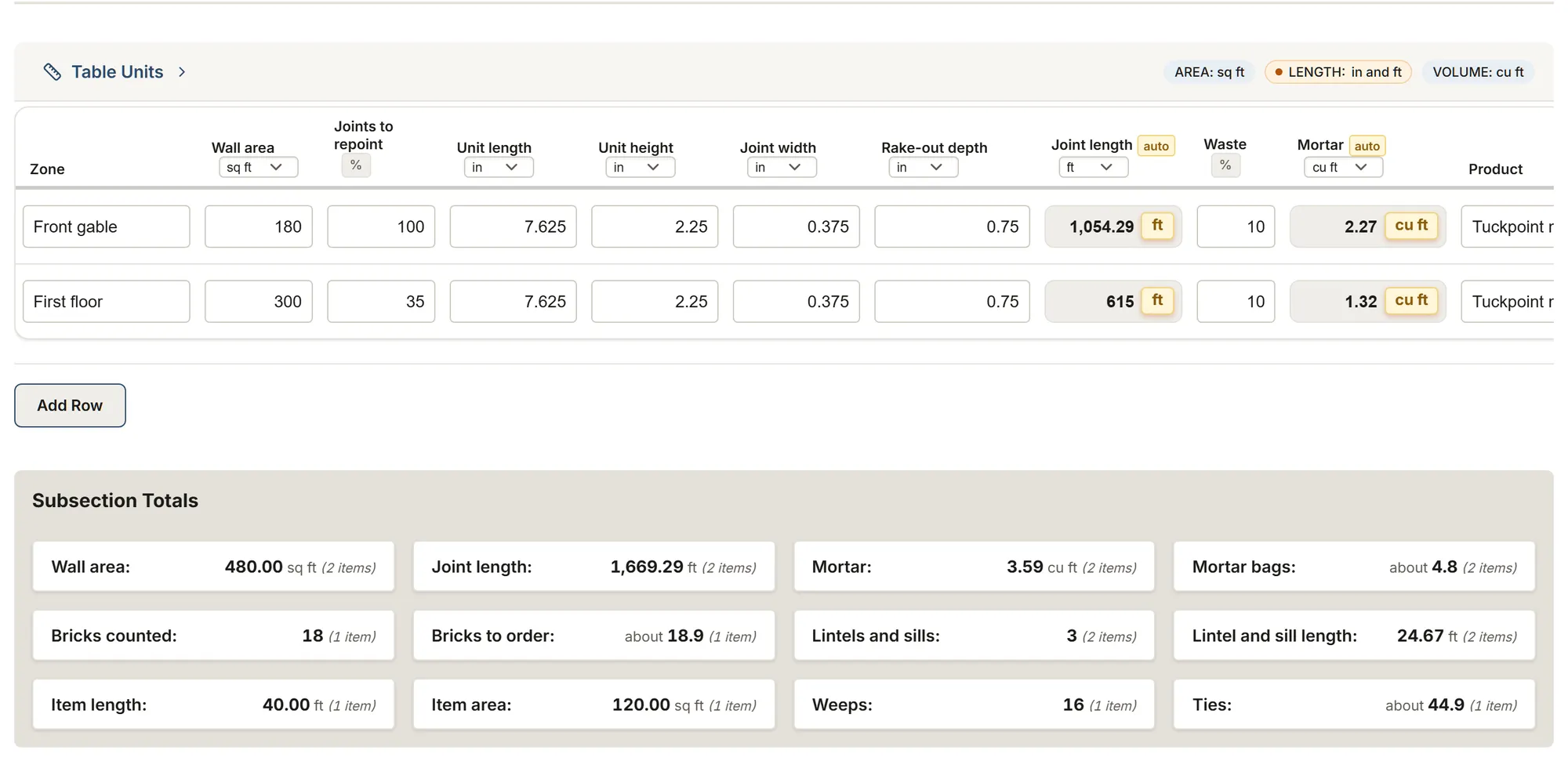
Walk the building on your phone, one elevation at a time, then the chimney and the foundation: the brick once, one row per zone, and MesuPro works out the linear feet of joint, the mortar, the bags, the bricks to order and the parging.
No credit card. Cancel anytime.
What you record on site
- Each elevation's brick: length, height and joint width, measured on the wall
- Each zone to repoint: its wall area, the share of joints to redo and the rake-out depth
- Spalled, cracked or loose bricks one by one, or the area of a patch to rebuild
- Cracks with their length and width, lintels and sills with their condition
- Weeps, flashing and ties, the chimney stack above the roof and its crown
- The foundation parging, the existing mortar, the test panel and the access
What MesuPro calculates for you
- Each zone's joint length, from the area, the share to redo and the brick size
- The mortar from the joint width and depth, with your waste
- Mortar bags from the yield printed on the bag, rounded up once per product
- Bricks to order, counted or from the area and wythes, with your waste
- Lintel and sill lengths, the weeps to drill and the ties
- The chimney stack faces, the parging area, its mortar and its bags
Nothing comes filled in: the brick size, joint width and rake-out depth are measured on the wall, and the yield is read on the bag. The guide cites the Brick Industry Association, the National Park Service, the IRC, Parks Canada, the National Building Code of Canada and the makers' data sheets.
The masonry template
Feet, inches, square and cubic feet, or metric: your choice.
Masonry repair survey
Elevations, repointing by the square foot and by the linear foot of joint, mortar bags, bricks, cracks, lintels and sills, chimneys and parging.
You get: Joint length Mortar Mortar bags
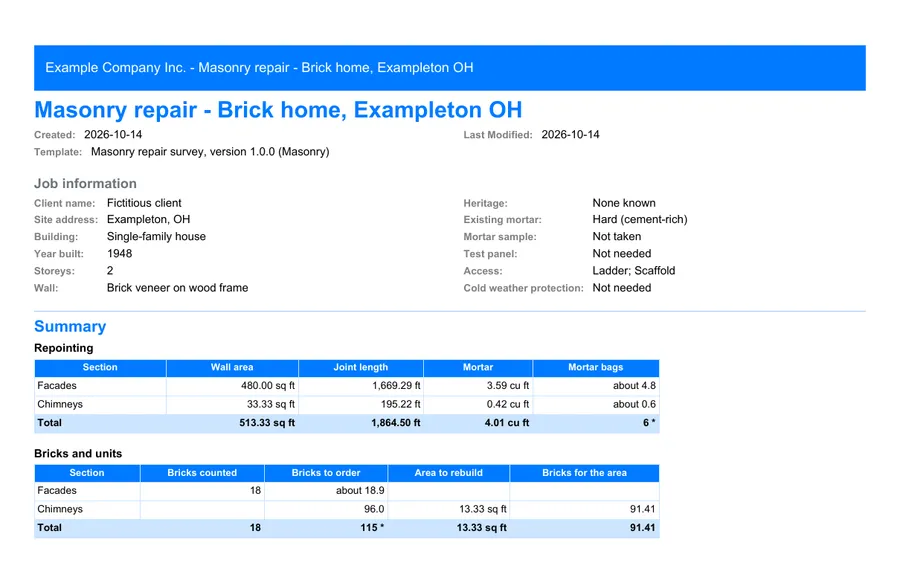
The report, ready to send
Export a PDF for the client without your waste or internal notes, or for internal use with every column. The Excel export carries the areas, joints, bags and bricks into your pricing.
FAQ
By the square foot or the linear foot?
Both. You type the wall area and the share of joints to redo; the sheet gives the area in square feet and the joint length in linear feet, from the brick size and the joint width.
How are the mortar bags worked out?
Joint length x width x rake-out depth, plus your waste, divided by the bag's yield. The yield printed on the bag always wins: by the makers' data sheets, an 80 lb tuckpoint bag makes about 0.75 to 0.78 cu ft.
Which mortar for old brick?
Never stronger than the old one: BIA recommends Type N in general, Type O or K for soft brick, and the National Park Service a mortar softer than the brick. The sheet records the existing mortar, the sample sent to a lab and the test panel.
Several walls and a chimney?
Click "Add an elevation" for each wall, "Add a chimney" for each stack and "Add a wall" for the foundation: each opens with its tables blank, and the bags and bricks add up per product.
Does the sheet judge the cracks?
No. It records their type, length, width and the next step. BIA lists cracks wider than 2 mm (0.075 in), stepped or diagonal cracks and rusted lintels among the signs an engineer looks at.