For painting contractors and their crews
Measure the job once: paint, hours and cost, room by room.
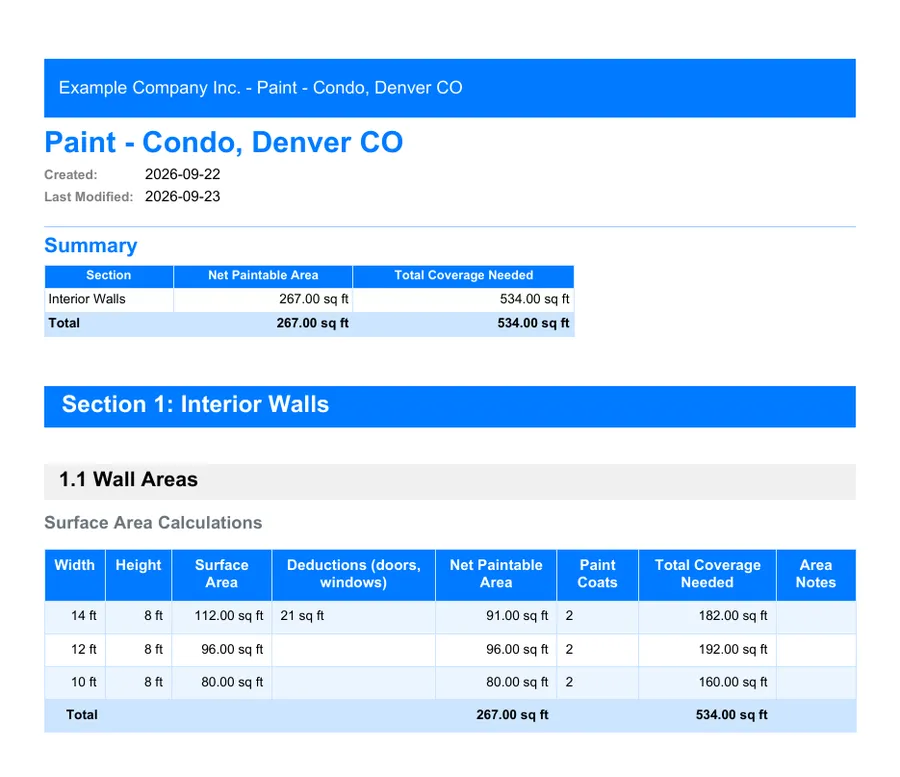
Walls, ceilings, trim and doors, room by room, on your phone. A whole room fits on one line. MesuPro deducts the openings, counts the paint and the hours at your crew's rate, then the cost at your prices, for every room and the whole job.
No credit card. Cancel anytime.
More templates to try: Commercial painting Flooring and painting: whole house Exterior painting and staining survey Wallpaper: installation survey
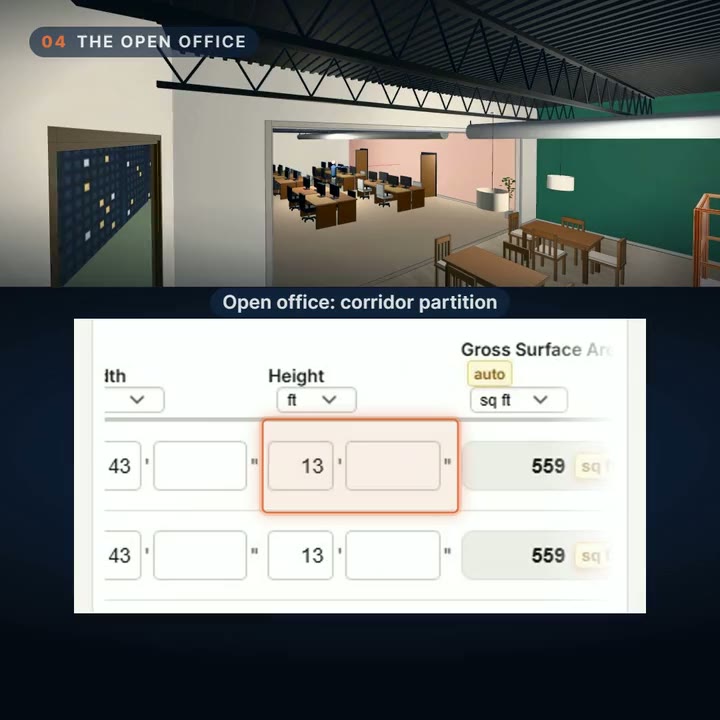
Commercial painting: an office floor (3 min 32 s)
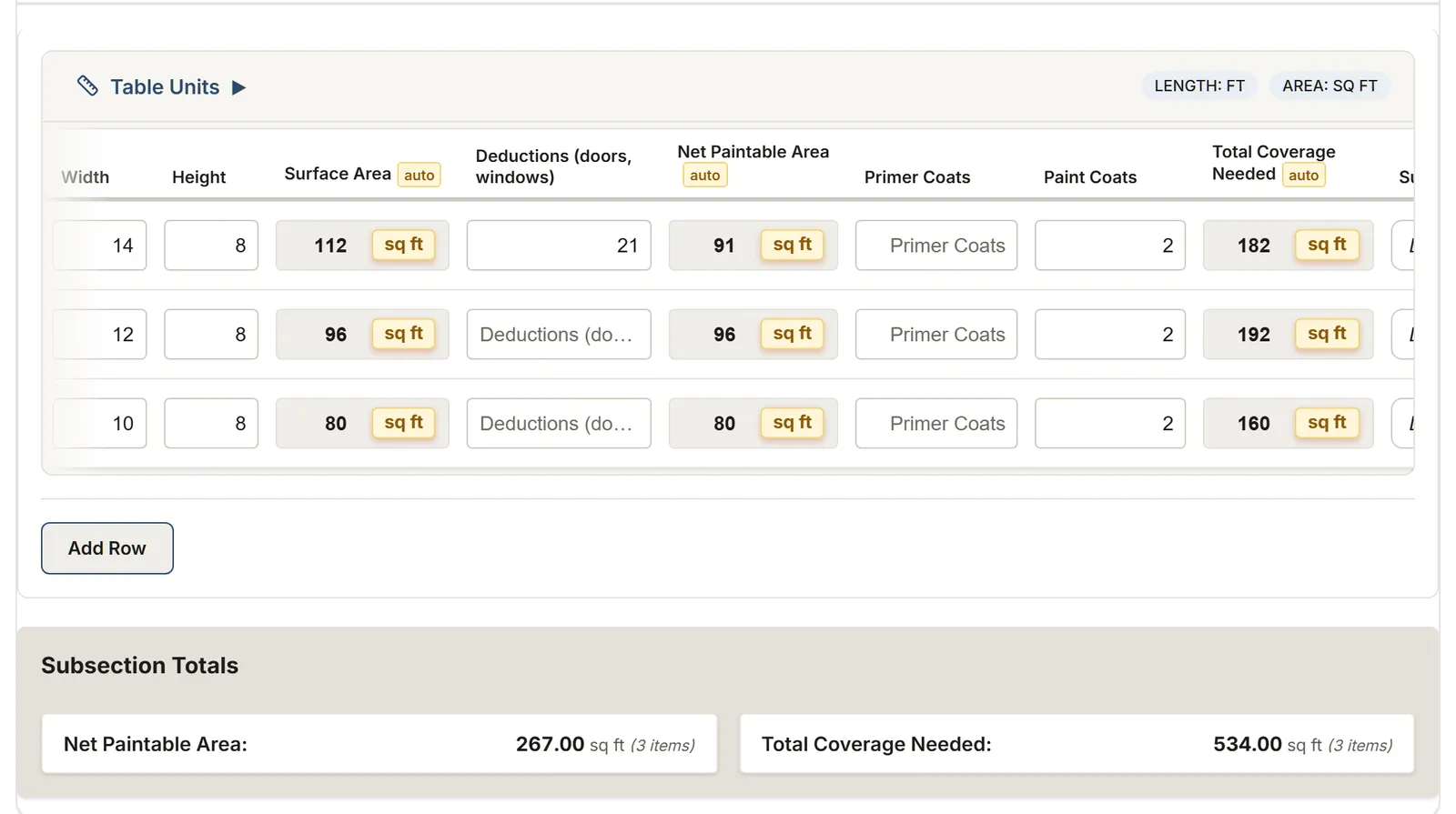
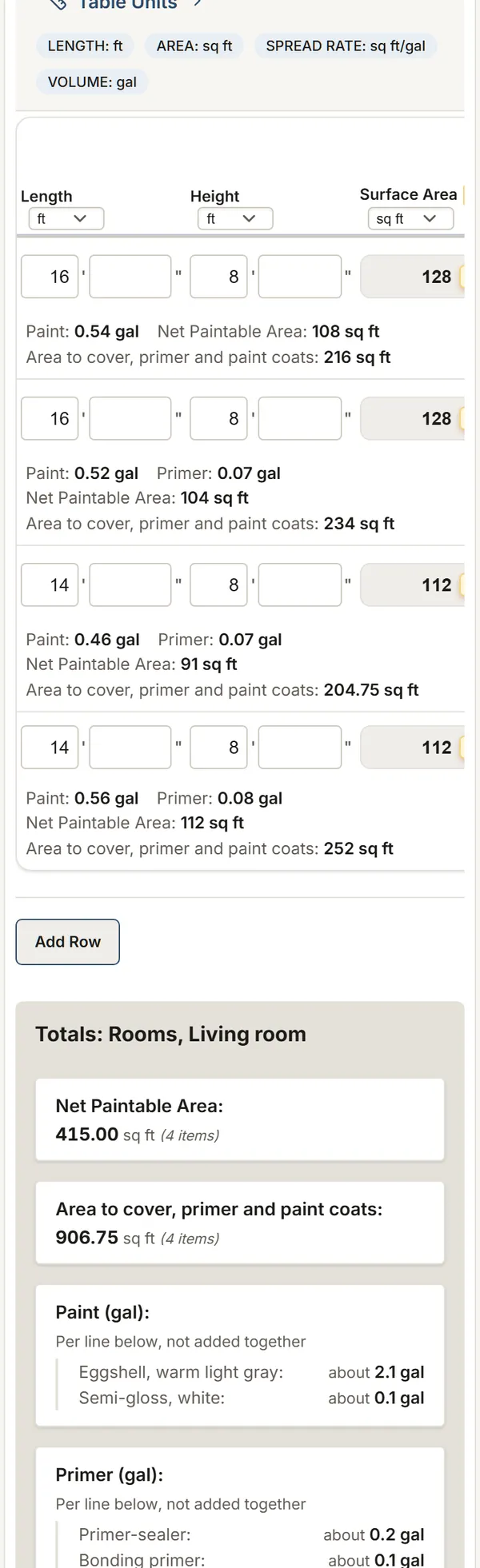
Painting: from the walls to the gallons
Painting templates, ready to use
Start from one of them, then adjust it to the way you work.
Residential painting
Room by room: walls (a whole room on one line), ceilings, trim, doors and cabinets, with gallons and labor hours.
You get: Net Paintable Area Area to cover, primer and paint coats Paint
Commercial painting
Commercial areas with deductions, primer and finish coats, gallons to order and trim costs per linear foot.
Watch the film: an office floor (3 min 32 s)All demos
You get: Net Paintable Area Area to cover, primer and finish coats Primer Gallons Needed
Flooring and painting: whole house
Floor by floor and room by room: floor area, walls, baseboards, flooring boxes and wall paint.
You get: Floor area Floor area with waste Flooring boxes
Exterior painting and staining survey
Elevation by elevation: walls and gables, trim, soffits, doors and shutters, decks and fences to stain, gallons per product.
You get: Area to paint Paint Trim area
Wallpaper: installation survey
Wall by wall: the drops, the drop length rounded up to the pattern repeat, the drops per roll and the rolls per wallpaper.
You get: Wall area Rolls
What you record on site
See the list (9)
- Each room: length, width and height on one line, or wall by wall
- Openings to deduct: doors, windows, fixtures
- Primer and finish coats, surface type, paint type and prep work
- Your crew's rate per coat: sq ft per hour, feet of trim per hour, minutes per door side
- Trim, baseboards and other linear elements, by the foot
- Notes and photos for each room
- For exteriors: each elevation, the gables, the trim, the doors, and the wood to stain
- For cabinets: the doors, drawer fronts, face frames and end panels, their count, sizes and the faces painted
- For wallpaper: each wall, the paper on it, the roll's width and length, the pattern repeat and the match
What MesuPro calculates for you
See the list (11)
- Gross and net paintable area, openings deducted
- Total coverage: net area times primer and finish coats
- Gallons of primer and paint to order, from the coverage rate set in the template
- Paint and primer per product, each rounded up to what you buy
- Labor hours for every room and the whole job, at your rate
- The cost at your prices and hourly rate: materials, labor and total before tax, for you only
- Linear feet of trim and baseboards
- Totals per room, per floor and for the whole job
- For exteriors: the area by elevation, and the paint and stain in gallons per product
- For cabinets: the area to paint, the pieces counted by type, and the paint and primer in gallons per product
- For wallpaper: the drops per wall, the drop length rounded up to a whole repeat, the drops per roll and the rolls per wallpaper
The report, as PDF or Excel
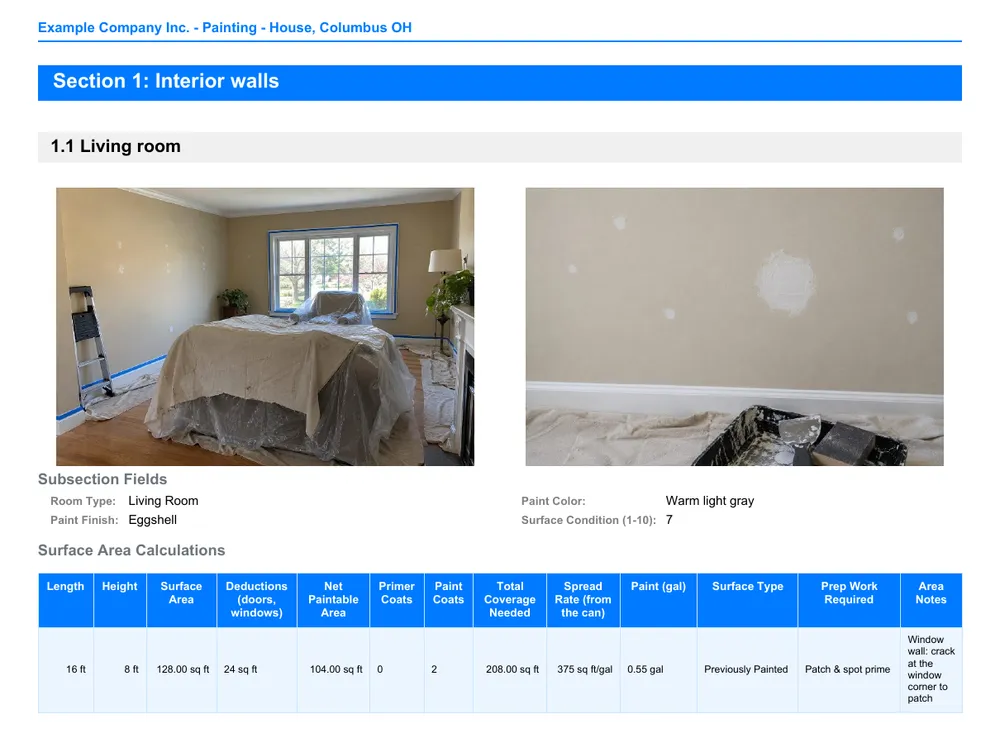
Export a PDF with your logo and photos for your client, or just the summary, one line per room. The Excel file goes to your estimate. Your hours, prices and rate stay in the internal report.
FAQ
Does it work for exterior painting?
Yes. The exterior painting and staining template walks the house elevation by elevation, with the gables, the trim, the doors and the wood to stain. The residential template also has an exterior section.
How do I measure trim, doors and casings?
Use the Trim table of the residential template, one row per run: its length in feet and its face width in inches, to the 1/8 in. Pick the type: baseboard, crown molding, door or window casing, chair rail, wainscoting, door slab, closet door, railing, fascia or soffit. The sheet totals the linear feet, turns each row into square feet (length x width / 12) and gives the trim paint and primer in gallons from your coats and the spread rate on the can, per product. The doors and windows you deduct from the walls stay in the wall rows.
Does it calculate labor hours?
Yes. Each row starts at a published rule of thumb for one coat (CompositePaint): 175 sq ft an hour on smooth drywall, 200 on ceilings, 80 ft of baseboard, 19 minutes per interior door side. Save your crew's rates once for the whole organization: new rows take them, and a row that differs is changed on the spot. The sheet gives the hours of every room and the whole job; add your hourly rate under the totals for the labor cost. Hours, prices and rate never show in the client's report.
Can I measure a room without doing each wall?
Yes. Type the room's length, width and height on one line: the sheet counts the 4 walls, 2 x (length + width) x height, then deducts the doors and windows. For an accent wall, deduct it from the room in "Other deductions" and give it its own line. Measure an L-shaped room wall by wall.
Why not a spreadsheet or paper?
Keep the way you build your bid. MesuPro replaces the paper and the calculator on site: the measurements, deductions, gallons and hours add up while you measure, the photos stay with the room, and the Excel file reaches the office with nothing to retype.
What about wallpaper?
Use the wallpaper survey. In our Savannah example, the 12 by 8 ft feature wall takes 7 drops of 21 in; with a 21 in repeat each drop is 5 repeats plus 4 in of trim, 109 in, and a 33 ft roll gives 3 whole ones: 2.33 rolls. With the window wall, pattern WP-210 needs 4.33, so 5 rolls; the door wall's WP-114 stripe, 3. Farrow & Ball advises one more roll, Graham & Brown 10%: the margin is yours.
Can I work in feet and inches?
Yes. In imperial, the painting templates give the paint in gallons; in metric, in liters. A switch on the sheet goes from one to the other and asks whether to convert the measurements already typed or keep them as they are.
Can I add my own rooms or fields?
Yes. Add rooms as you go on site: in residential, "Add a room" opens a room with its walls, ceiling, trim and doors tabs; in commercial, "Add an area" opens an area with its surfaces, doors and ceilings. Each opens blank, and the totals per product include it. Change the template in the editor or with the AI assistant.
Did this page help you?