Your forms, your math, done as you type.
A sheet follows the way you walk a job: sections, subsections and tables. Calculated columns, units and totals do the math while you measure, and everything saves as you go.
No credit card. Cancel anytime.
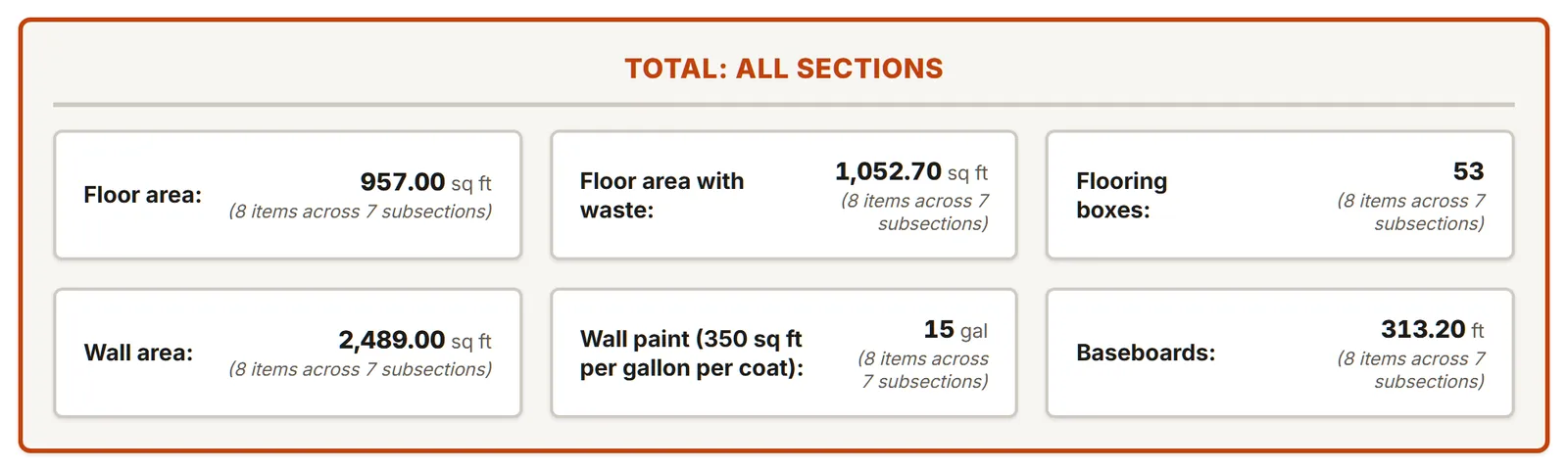
Built like your job site
One section per floor or facade, one subsection per room or area, and tables in tabs. Add, duplicate and move rows and sections on site.
- Forms for the project and sheet information
- Up to 20 photos per section or subsection, with captions
- Notes on every subsection
Feet or meters, table by table
Each table has its own units: imperial, metric or mixed. Change a table's unit: the numbers you typed stay as they are, only the unit labels change. MesuPro flags a table with mixed units.
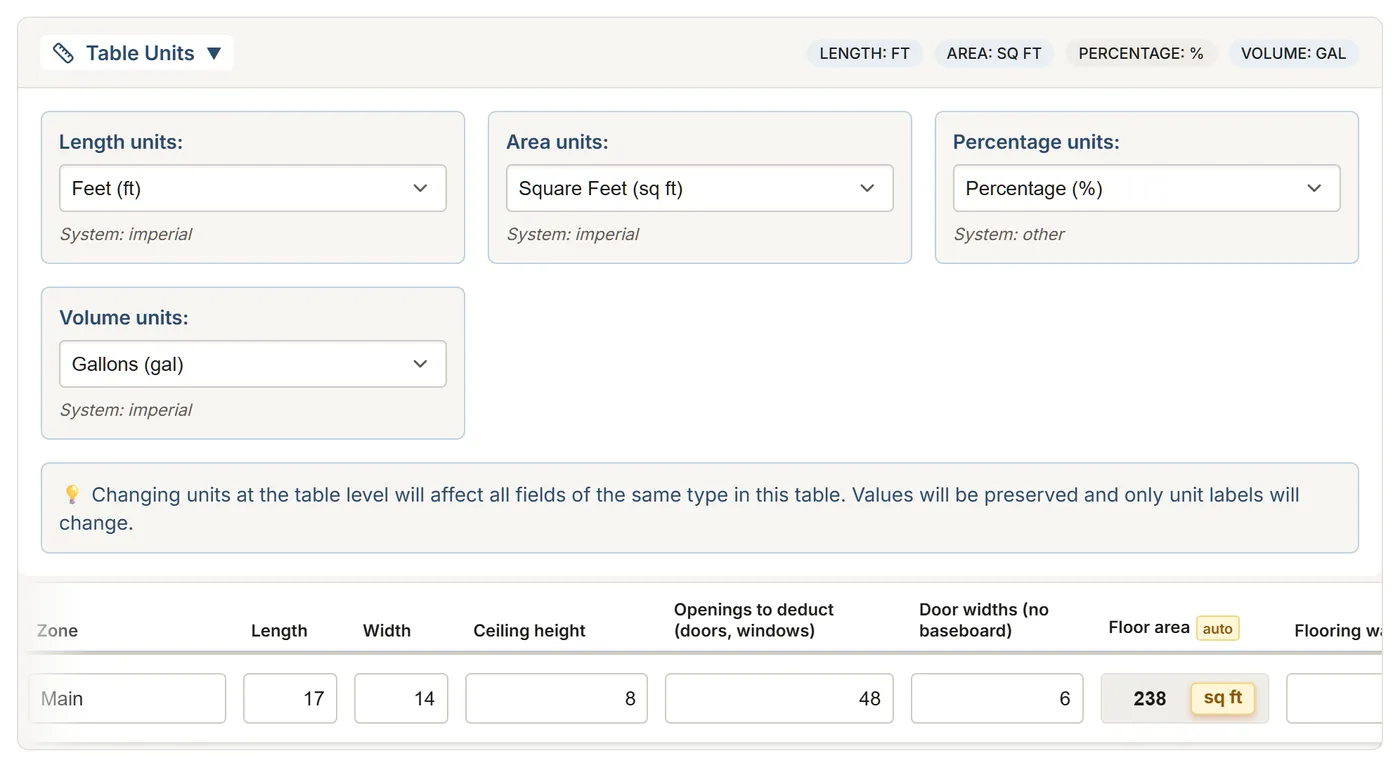
Formulas you can read
A calculated column is a formula over the other columns: addition, multiplication, rounding, minimum and maximum, square root, powers. Calculated values carry an auto tag.
- Totals as a sum or an average, per subsection, per section and for the whole sheet
- Your own formulas in the template editor, or by asking the AI assistant
Saved as you go
The sheet saves half a second after your last keystroke, with Undo and Redo. If the signal drops, your changes are kept on the device and sent as soon as it's back. Open the sheet before you walk into the dead zone: the app and photos need a connection.
FAQ
Can I start from scratch?
Yes. Build a template in the editor, or describe your job to the AI assistant and it builds it for you.
Which functions can I use in a formula?
The four operations, rounding (up, down or nearest), minimum, maximum, absolute value, square root and powers.
What about a basement with no signal?
Open the sheet before you go down. Your measurements are kept on the device during the outage and sent when the signal is back. Photos are added once you are online again.