Find every joint to redo, facade by facade.
One facade per section, one area per subsection, one joint per row. Record the tag, joint type, length, condition and access, with photos, and get the lengths per area, per facade and for the building.
No credit card. Cancel anytime.
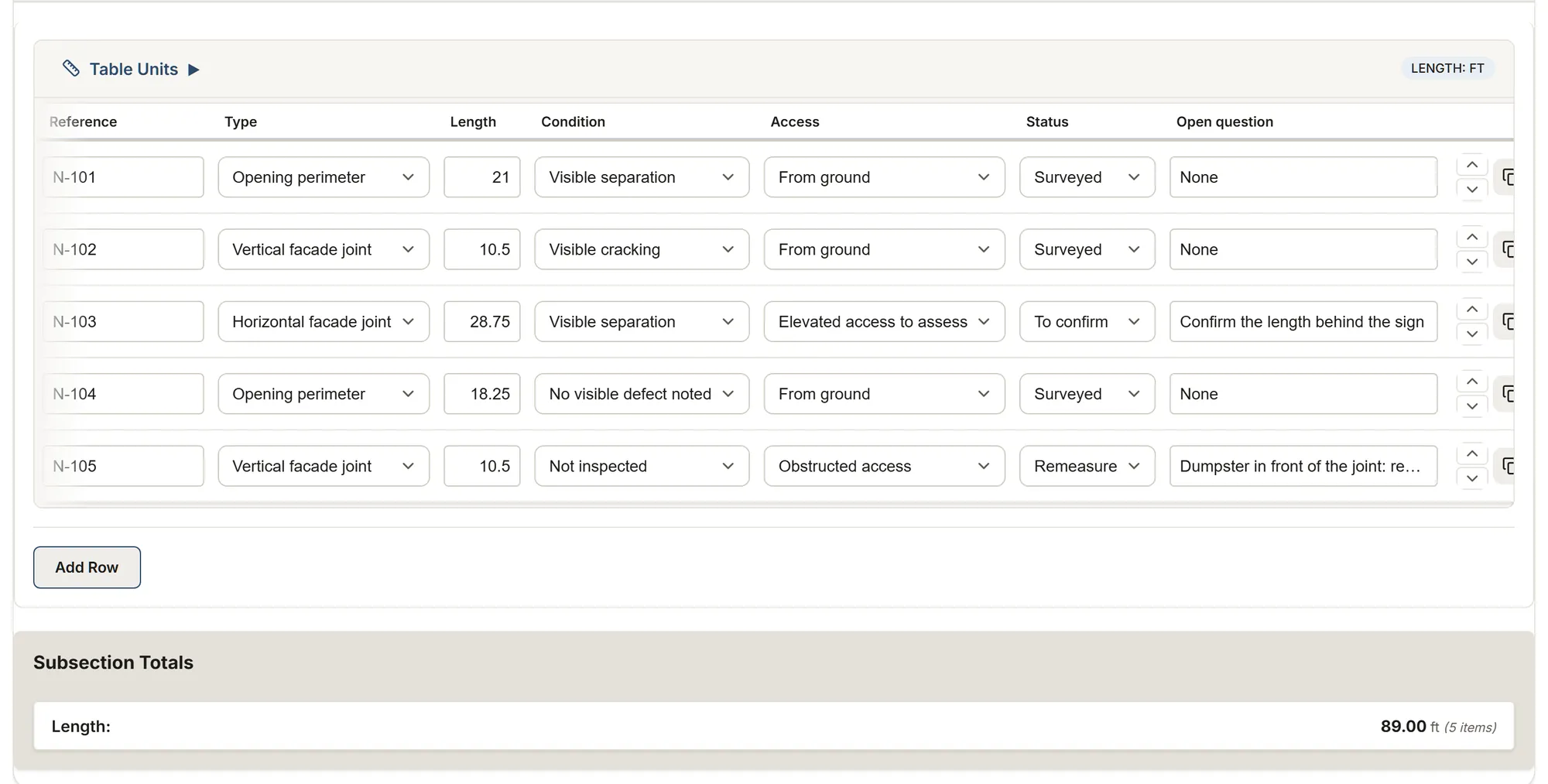
What you record on site
- A tag for each joint, so you can find it again later
- The type: opening perimeter, vertical or horizontal facade joint
- The measured length
- The observed condition: separation, cracking, no visible defect, not inspected
- Access: from the ground, elevated access to assess, obstructed
- The status (surveyed, to confirm, remeasure) and the questions to resolve
What MesuPro totals for you
- Joint length per area
- Length per facade
- Total length for the building
The survey doesn't pick a product or count cartridges: it gives you clean lengths and their context to prepare the work or the quote.
The facade joint survey template
In feet or in meters, your choice.
Facade joint survey (ft)
Tags, lengths in feet, condition, access and open questions, facade by facade.
Feet and inches by default
Start with this templateFacade joint survey (m)
Tags, lengths in meters, condition, access and open questions, facade by facade.
Meters and millimeters by default
Start with this templateThe report, ready to send
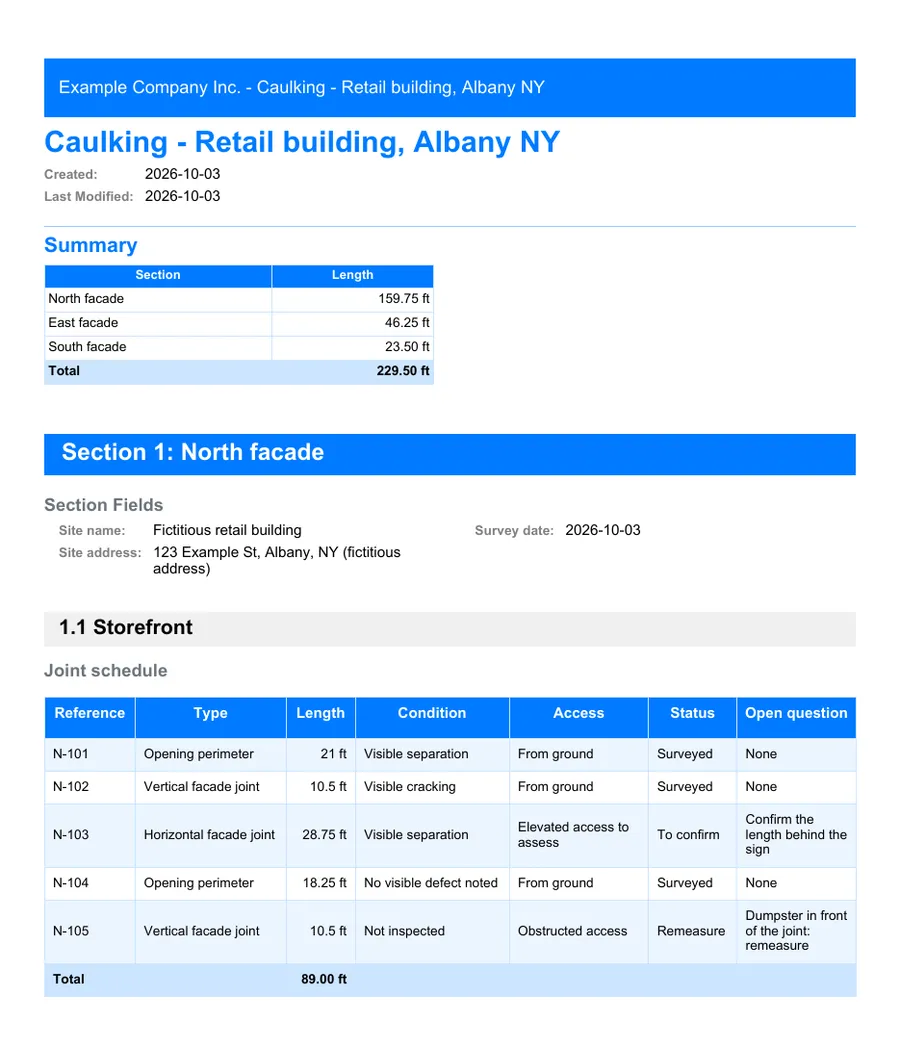
Export the survey to PDF with your photos, or to Excel to prepare the quantities for your quote.
FAQ
Does it calculate cartridges?
Not in this template: it is a survey of lengths and conditions. You can add your own calculated column, for example from the joint width and depth, in the template editor.
Feet or meters?
Both: the template comes in feet and in meters.
Can I add facades or areas?
Yes. Add a section per facade and a subsection per area, as you go on site.